
Most business software waits for you. You open it, click a button or type a request, and it responds. Then it stops and waits again.
AI agents work differently. You give an agent a goal and the rules it has to follow, and it watches for the right moment to act, works through the steps on its own, and only checks in when it needs a decision from a person. That approach is catching on quickly, with 62% of large U.S. organizations now saying they're building, deploying, or developing AI agents, up from 53% just one quarter earlier.1
In this guide, we’ll explain what enterprise AI agents are, how they work, where they help in daily operations, and what’s changed this year. We'll also share what we've learned helping organizations on Google Workspace and Gemini Enterprise put their first agents to work.
What Are AI Agents for Enterprise?
An AI agent is software that can plan and complete a multi-step task with limited human input. It uses an AI model to understand the task, connects to your business systems to get information and take action, and keeps going until the job is done or it needs help.
The easiest way to understand agents is to compare them with tools you already know:
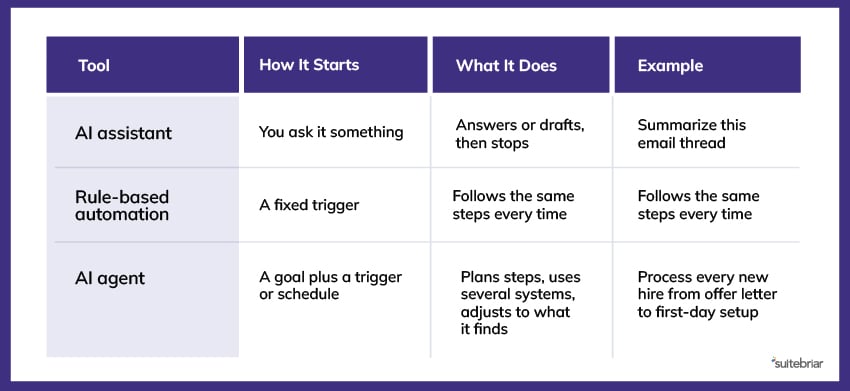 An assistant is helpful when you remember to use it. An agent is helpful because you don't have to remember.
How Do AI Agents Enterprise Systems Work Without Being Asked?
Every agent's work starts with a trigger, which can be a schedule (every Monday at 8 a.m.), an event (a new form submission), or a request from a person. Once it's triggered, an enterprise agent follows the same basic loop:
Make a Plan
Let’s say we’ve built a new-hire onboarding agent, and its goal is to have every new employee fully set up and ready to work on their first day. After a candidate's signed offer letter is marked complete in the HR system, the agent breaks the goal into steps. It’ll read the new hire's role, department, manager, and start date, then lay out a plan to create their Google Workspace account, assign the right licenses, add them to their team's groups and shared drives, schedule orientation, and send a welcome email.
Take Action
Agents connect to tools like email, calendars, file storage, HR software, and ticketing software to carry out each step. In this example, the onboarding agent pulls the new hire's details from the HR system, creates the account and group memberships in Google Workspace, books orientation on the manager's Google Calendar, and opens an IT ticket for laptop shipping.
Check the Work
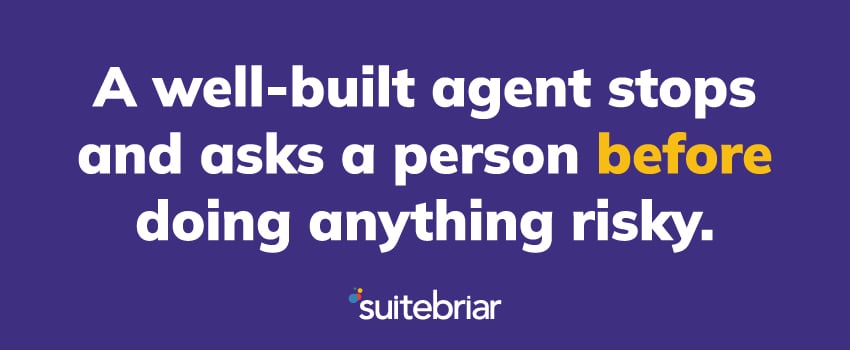
A well-built agent stops and asks a person before doing anything risky, such as sending money or deleting data. Our onboarding agent, for example, would ask IT to approve the request before granting a new hire access to finance or HR shared drives. It also checks its own results along the way, confirming that the account was actually created and the new hire actually appears in the right groups before it sends the welcome email.
Report Back
The agent logs what it did so a person can review it. That means that once the agent has completed the new hire’s onboarding, it sends the hiring manager and IT a short summary showing the accounts and licenses it set up, the scheduled orientation date, and whether the laptop has shipped. These records make it easy to spot problems early, and they provide a clear trail if anyone needs to understand why an agent took a specific action.
What Guardrails Make AI Agents Safe?
An agent that can act on its own needs clear limits. Before any agent goes live, your team should decide:
- What it can access. Agents follow the permissions they're given. If a file is shared too widely, an agent may find it.
- What needs approval. List the actions that always require a human to sign off.
- Who owns it. Every agent needs a named person responsible for its results and its mistakes.
- How you'll review it. Logs and regular check-ins catch problems early.
In Google Workspace, much of this starts with clean sharing settings and access controls. Not sure if your Google environment is agent-ready? At Suitebriar, our Google Workspace security audit covers the settings that matter most before you turn on agents.
AI Agents Enterprise Automation vs Traditional Automation
Many companies already automate work with scripts, workflow tools, or robotic process automation (RPA) – and agents don't need to replace all of that. Choosing the right option depends on how predictable the work is.
Traditional automation is the better choice when:
- The steps never change
- The data always arrives in the same format
- A mistake would be costly, and the process must be exactly the same every time
AI agent automation is the better choice when:
- Inputs vary, such as emails written in different ways or documents in different formats
- The task requires reading, summarizing, or making a simple decision
- The work spans several systems that don't connect easily
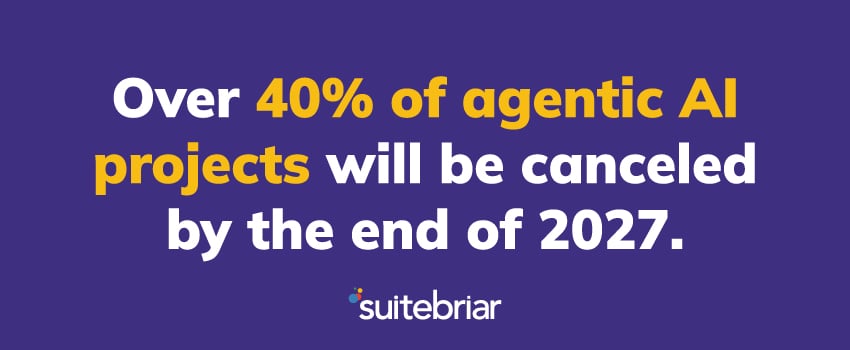
Gartner has warned that many use cases marketed as "agentic" don't actually need an agent, which is one reason why they predict more than 40% of agentic AI projects will be canceled by the end of 2027.2 If a simple workflow can do the job reliably, use the simple workflow. Save agents for work that needs flexibility.
Where Do AI Agents for Enterprise Operations Help Today?
Agents work best on tasks that are repetitive, follow a clear process, and touch more than one system. Here are some common examples of AI agents in day-to-day operations:
- IT Administration: Create accounts for new employees, assign the right licenses, set up groups and shared drives, and reverse it all when someone leaves.
- Help Desk Triage: Read incoming tickets, sort them by urgency, answer common questions, and route the rest to the right person.
- HR Onboarding: Send paperwork, schedule orientation, share training materials, and follow up on missing items.
- Finance: Match invoices to purchase orders, flag mismatches, and prepare reconciliation reports for review.
- Sales Follow-Up: Run a multi-week outreach sequence, update the CRM after each touch, and alert a rep when a prospect replies.
- Security Monitoring: Review email authentication reports, flag unusual sign-ins, and summarize risks for the IT team.
Want to get started with your own agent? Check out the Suitebriar team’s guide on building an employee onboarding agent in Gemini Enterprise without writing code.
Keep in mind that while agents handle the routine steps, people still make judgment calls, handle exceptions, and own relationships with customers and employees. The goal is to give your team time back, not remove them from the process.
AI Agents Enterprise News: What’s Changed in 2026?
This year, agents moved from short chat sessions to background work that can run for hours or days. Let’s look at the updates that matter most for IT and operations leaders below.
Updates From Google
- April 2026: At Google Cloud Next ‘26, Google introduced the Gemini Enterprise Agent Platform and long-running agents in the Gemini Enterprise app. These agents can work on multi-step tasks for hours or days, and a new Inbox lets people monitor and guide them in one place.3
- April 2026: Google made Agent Identity generally available, giving each agent its own secure identity when it connects to tools, data, and other agents.4
- July 2026: Google expanded availability of its long-running agent features, including agents that can run continuously for up to 7 days and keep memory across long tasks.5
- October 2026: Google announced a universal Gemini agent that takes on work across apps from one interface. It's currently in private preview.6
Updates From Microsoft
Microsoft has added similar features to Copilot Studio, including:
- The ability to call agents as steps inside automated workflows (generally available September 2026).7
- The option to give agents their own governed Microsoft 365 identities.8
What This Means for You
All the latest news suggests the tools are ready for real work now. The hard part is choosing the right tasks, preparing your data, and training your people to work alongside agents.
How To Get Your First Agent Running
You’ll want to start small and measure your results. Here's what we recommend:
- Pick one process. Choose a high-volume task with a clear owner and a clear finish line. In our AI Activation Workshop, our Google-certified engineers build your first one or two agents with you and train your team to build more.
- Map the steps. Write down every step a person takes today, including where they check other systems.
- Clean up access. Fix sharing settings and permissions before the agent can see anything.
- Build with approvals. Require human sign-off on any step that affects money, customers, or data.
- Train the people around it. Employees need to know what the agent does and when to step in. Our Google Workspace training and Gemini adoption services are built for this.
- Measure one result. Track hours saved, tickets closed, or turnaround time. If the number doesn't improve in 60 to 90 days, adjust or stop.
Once your first agent is running reliably, you'll have a repeatable approach your team can use for the next one – along with the access controls and training already in place.
Start Putting AI Agents to Work With Suitebriar
Think about the work your teams repeat every week without anyone having to ask: onboarding new hires, sorting help desk tickets, and tracking down invoices that don’t match the purchase order. AI agents can now handle all of this, running in the background and bringing in a human only when a decision really needs one.
The technology is ready, but the results will still depend on the choices you make up front – which process you hand over first, what the agent is allowed to touch, and how your teams will work alongside it once it's live.
Want to find the right Google Workspace agent for your team? We can help you plan it, build it, and roll it out safely. Talk to a Google expert at Suitebriar.
Sources:
- https://kpmg.com/us/en/media/news/q3-ai-pulse-2026.html
- https://www.gartner.com/en/newsroom/press-releases/2025-06-25-gartner-predicts-over-40-percent-of-agentic-ai-projects-will-be-canceled-by-end-of-2027
- https://cloud.google.com/blog/products/ai-machine-learning/whats-new-in-gemini-enterprise
- https://cloud.google.com/blog/products/ai-machine-learning/whats-new-in-gemini-enterprise-agent-platform
- https://itbrief.com.au/story/google-cloud-expands-gemini-enterprise-agent-controls
- https://letsdatascience.com/news/google-launches-unified-gemini-enterprise-agent-3927f884
- https://m365admin.handsontek.net/microsoft-copilot-studio-invoke-agents-workflow-steps-agent-node-3
- https://mc.merill.net/message/RM570430