


Prompt Engineering for your data in Google Sheets
Do you find Google Sheets tedious because of all the formulas it requires? Or do you want a little helper tool to help you with all your formulas then and there? Let's explore Google Sheets with Gemini. The small star in your top right corner can make you do magic with basic English.Prompt engineering in Google Sheets can boost your efficiency, expand functionality, and simplify complex tasks.
Take this table for instance:
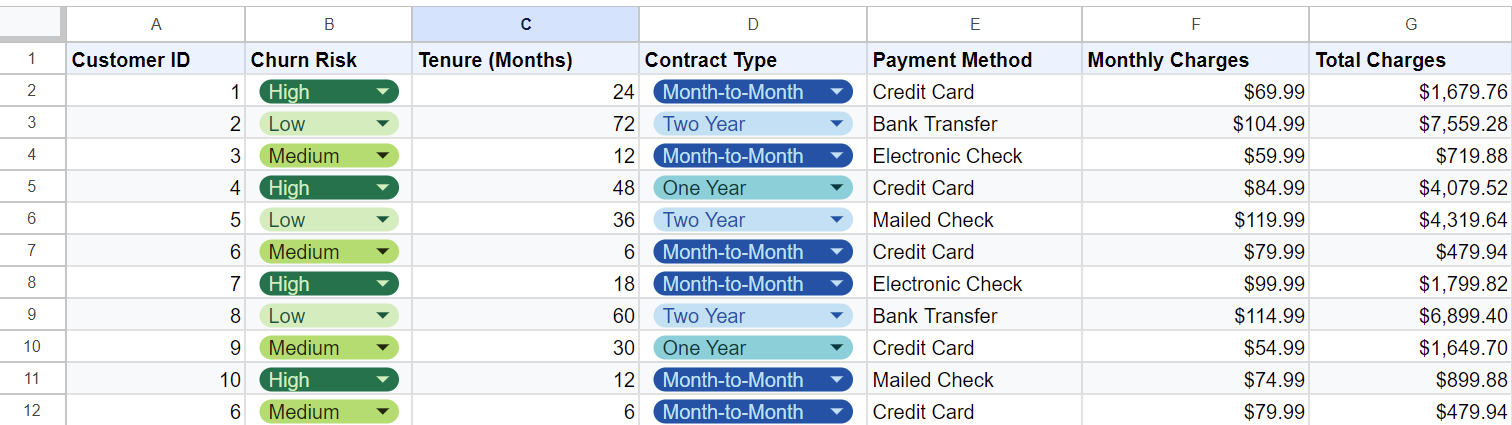
- Learn how to write basic spreadsheet formulas.
-
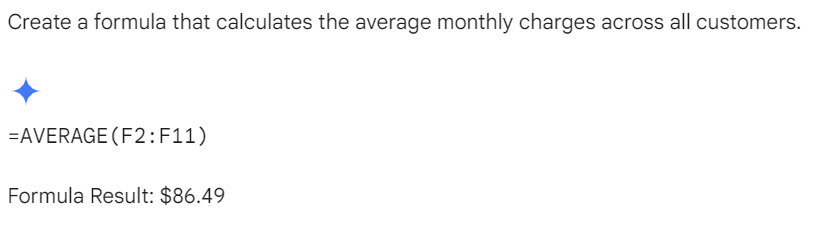
- With Prompts like “Create a formula that calculates the average monthly charges across all customers.”. You can easily do math with basic English.
- With Prompts like “Create a formula that calculates the average monthly charges across all customers.”. You can easily do math with basic English.
-
- Simple use with natural language:
-
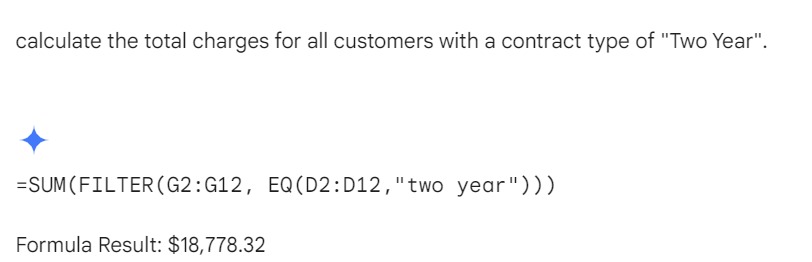
- Use Natural language for instructing Gemini to do complex tasks like:
- "Calculate the total charges for all customers with a contract type of "Two Year".
- Use Natural language for instructing Gemini to do complex tasks like:
-
- Data Analysis:
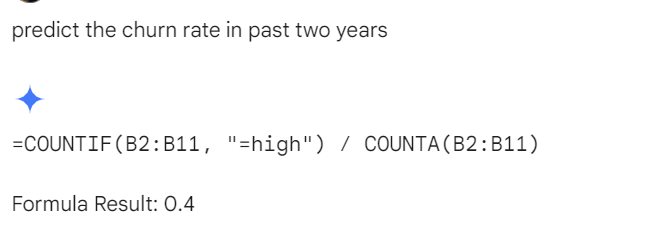
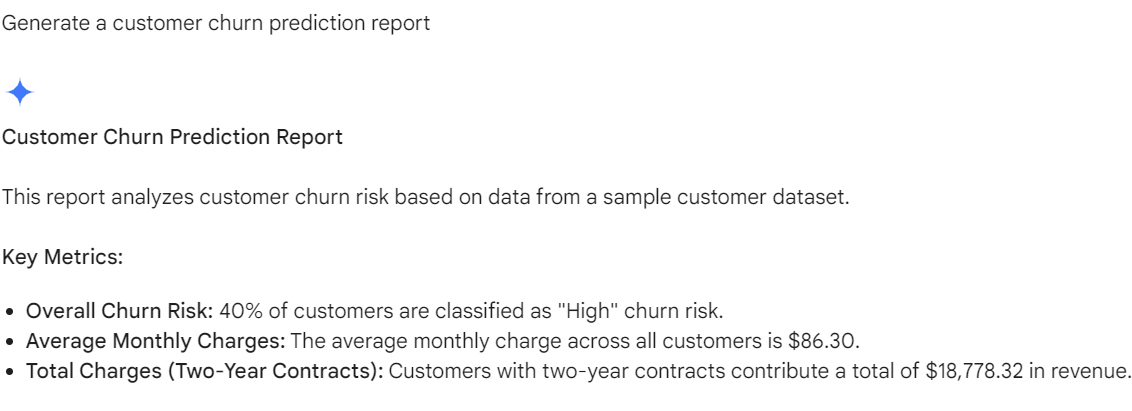
- Analyze your annual data to find outliers, or predict customer churn rate with prompts like:
-
- “Find the outliers in the data”
- “Predict the customer churn rate in the past 2 years.”
-
- Analyze your annual data to find outliers, or predict customer churn rate with prompts like:
- Generate Reports: Instead of manual generation of reports.
-
- You can prompt in sheets to generate a report with Gemini
- “You are a sales manager. Generate a report of the total monthly revenue. Also include the top performing product of each month.”
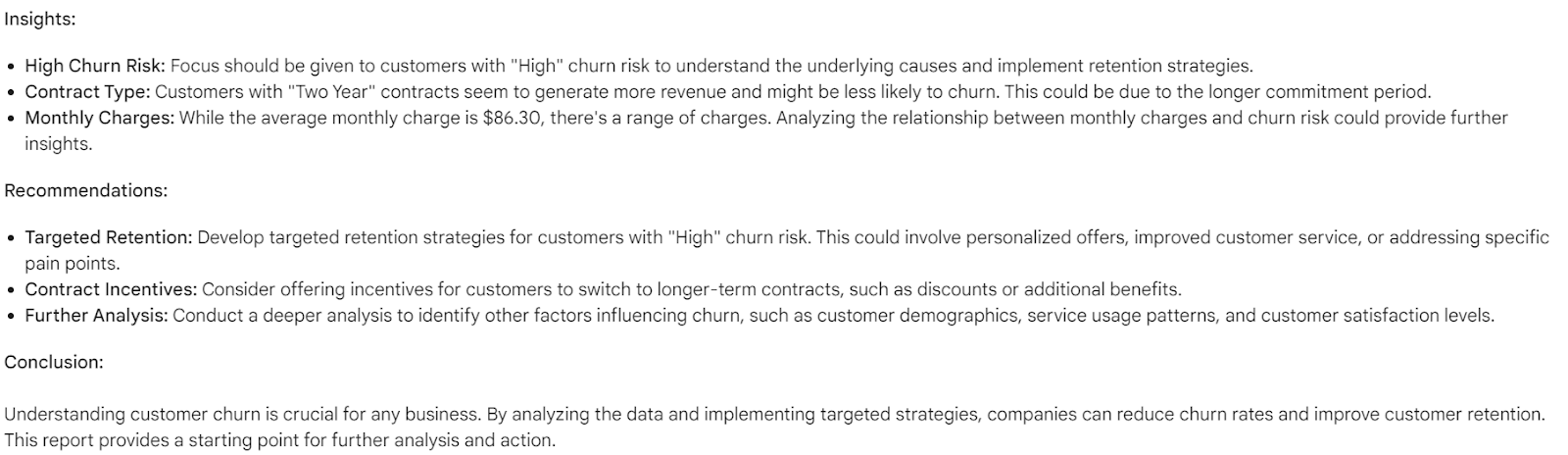
- “Generate a customer churn prediction report”
- You can prompt in sheets to generate a report with Gemini
- You can prompt it to clean the data.
- “Remove Duplicates from column e”
- format the data in a certain format: “Make the column entries in a consistent date.”
-
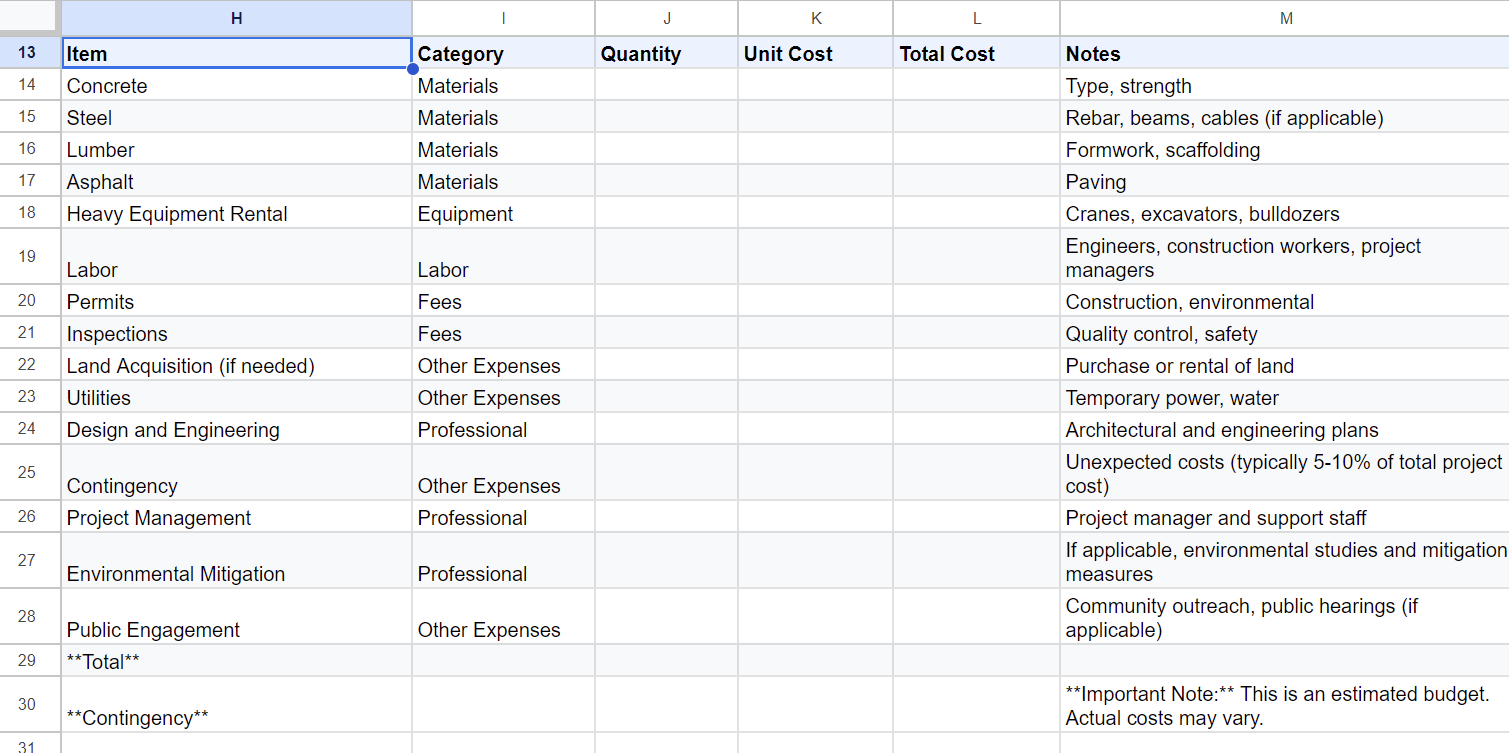
- Generate Spreadsheet templates:
Let Gemini be your assistant and prompt it to help you organize. You can describe your project and let it suggest you with a template.
- “Help me organize.”
- “Make a template for my bridge project to create a budget for it. Include all the material that will be required in this bridge project.”
Effective prompting:
- Target “how” and “what”
- What do you want it to do "Calculate average sales per region” and How do you want your task done “for the past quarter in a chart".
- Break complex tasks into simpler sentences
- This helps the bot break the task into smaller steps and give better results.
- Provide specific details
- Provide a range of values, desired outputs, and format of those outputs.
- Include examples and context
- Give examples wherever possible for the sheets to understand you better.
- Provide a context on how you expect the results to be.
- Try different ways of prompting
- Observe how your prompts are being interpreted and mold your prompts accordingly.
Prompt Engineering opens new doors in Google Sheets. Unlock the full potential of Google Sheets and embrace the power of natural language.